
We are reader supported. When you purchase through links on our site, we may earn an affiliate commission. Also, as an Amazon affiliate, we earn from qualifying purchases.
You want a home office that fits your work and your space without wasting square footage. The right size is not a guess. It follows what you do each day, the tools you use, and how much storage you truly need. Start small, add smart clearances, and the answer becomes clear. This guide breaks it down step by step so you can size an office that feels comfortable, stays organized, and is easy to maintain.
Quick Answer First
If you only use a laptop and do not store paper, a compact office works at 30 to 40 square feet. Think 6 by 6 ft or 5 by 8 ft. It fits a small desk and a chair with safe movement space.
For a standard single person setup with one or two monitors, a printer, and some shelving, plan 60 to 100 square feet. Think 8 by 8 ft to 10 by 10 ft. This size supports good ergonomics and manageable storage.
For a generous single office with room for a guest chair or a small meeting table, aim for 100 to 150 square feet. Think 10 by 12 ft or 12 by 12 ft. This size supports video calls, a larger desk, and better acoustics.
For two people or work plus studio gear, plan 150 to 200 square feet or more. Think clear pathways, storage walls, and separate zones to reduce noise and clutter.
Start With What You Actually Do
List your daily tasks. Writing and calls need a clean surface and quiet. Coding and analysis need more monitor space. Design and crafting need deeper desks and more storage. Video calls need a camera-friendly background and light stands. This list sets the footprint before you even pick furniture.
Count your equipment. Note the number of monitors, computer size, dock, keyboard, microphone, camera, printer or scanner, labeler, shredder, and a charging shelf for phones and tablets. Each item takes space and needs power and cable management.
Assess your paper level. No paper, light paper, or heavy paper. Light paper needs a few magazine files and a small drawer. Heavy paper needs a lateral file and deeper shelves. Storage depth is what often pushes you into a bigger room.
A Simple Sizing Formula
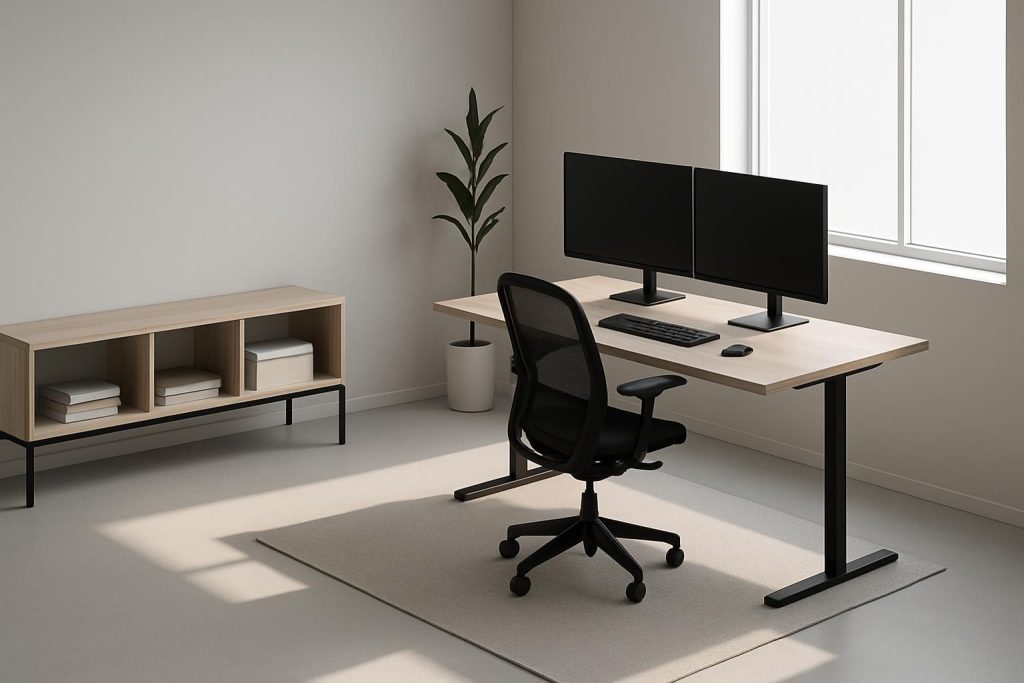
Start with a desk footprint that suits your work. Add chair and walkway clearance. Add storage depth and width. Add special zones like a meeting chair or a backdrop for video. The total tells you the minimum room size.
Desk footprint examples. Compact desk 47 by 24 in. Standard desk 60 by 30 in. Deep desk 72 by 30 in. If you use two large monitors or draw by hand, lean toward 30 in depth.
Chair and walkway. Keep 36 in clear behind your desk for safe sitting and standing. Keep 30 to 36 in for any main walkway. Add this to the desk depth to get the minimum room depth.
Storage. Bookcases are about 12 to 13 in deep. Lateral files are 18 to 20 in deep. Leave 30 in clear in front of drawers for access. If storage faces your chair, make sure the clear zones do not overlap in a way that blocks movement.
Ergonomics That Decide The Room
Desk Dimensions That Work
A desk 47 by 24 in fits a laptop and one monitor. A desk 60 by 30 in fits dual monitors, a dock, and a document stand. A desk 72 by 30 in suits design, drafting, or wide arm movements. If your monitors are 27 in or larger, a 30 in deep desk improves eye distance and reduces neck strain.
Desk height matters. Seated desk height for most adults is about 28 to 30 in. Standing desk height ranges around 38 to 44 in. If you are between sizes, choose an adjustable desk. It lets you set posture correctly, which reduces the need for extra accessories that take space.
Chair and Walkway Clearances
Leave 36 in behind the chair to stand up without twisting. If the desk faces a wall and the chair backs onto another wall, room depth should be desk depth plus 36 in at minimum. A 30 in walkway works, but 36 in feels easier to navigate with equipment.
Door swings need room. If a door swings into the office, keep the swing area clear by at least the width of the door. Pocket or sliding doors free space in small rooms.
Legroom and Monitor Distance
Keep at least 24 in clear depth for knee space and 20 in width at minimum. A generous opening is 24 in wide. Monitor distance should be about 20 to 30 in from your eyes. A 30 in deep desk makes this easy without pushing your chair into the walkway.
Storage You Will Actually Use
Decide between open and closed storage. Open shelves are fast to access but collect dust. Closed cabinets look clean and control dust but need swing clearance. Mix both: open shelves for daily tools at arm height, closed cabinets for rarely used items.
Depths to remember. Wall shelves 12 to 13 in deep hold books and boxes. Base cabinets 18 to 24 in deep hold equipment and files. Rolling file units often need 18 to 24 in depth plus 30 in access space. Set storage along one wall so other walls stay clear for movement and light.
How much shelf to install. One linear foot of shelf holds about 8 to 10 books or 12 in of magazine files. If you need 6 shelf feet, that is half of a 12 in deep, 6 ft tall bookcase. Plan vertical storage first to keep the floor clear for cleaning.
Layout Templates By Room Size
6 by 6 ft Ultra Compact
Use a 42 to 48 in wide desk, 24 in deep. Place it facing the wall. Keep 36 in behind the chair. Use a slim 12 in deep shelf above the desk. Put a small mobile pedestal under the desk for daily supplies. Choose a wall mounted task light to free surface space. This size fits a laptop worker or a single monitor user.
8 by 8 ft Small Dedicated
Use a 60 by 30 in desk with a monitor arm. Place a 12 in deep bookcase on a side wall. Keep 36 in behind the chair and 30 in clear on one side as a walkway. Add a compact printer shelf near the desk but not on it. Use cord channels to keep the floor clear for cleaning.
10 by 10 ft Comfortable Single
Pick a 60 to 72 by 30 in desk. Add a 24 in deep cabinet wall for files and a printer. Keep 36 in behind the chair and 36 in for the main walkway to the door. Add a guest chair or a small round table 30 in diameter if you host short meetings. Use acoustic curtains and a rug to reduce echo for calls.
12 by 10 ft Work Plus Meeting
Use a 72 by 30 in desk centered to face a window wall without glare. Place a 24 in deep storage credenza behind the desk with 36 in clearance. Add a small two person table with 30 in around it for movement. This setup supports creative work, frequent calls, and short meetings.
Shared or Multi Purpose Rooms
If the office shares space with a bedroom or living room, define a clear footprint. Use a foldable desk or a wall mounted drop leaf to reduce depth when not working. Add a freestanding screen or a bookcase divider to separate visually and improve call backgrounds.
Choose mobile storage. A rolling cart holds chargers, stationery, and cables. Park it under a console when not in use. This keeps surfaces clean and speeds setup and cleanup.
Plan quiet hours and soft surfaces. A rug, lined curtains, and door seals reduce noise leak. In a shared space, this allows a smaller footprint because you will not need as much distance for privacy.
Closet Office Conversion
Minimum depth for a closet office is 24 in if you use a monitor. A 30 in depth feels better for legroom and cable space. Minimum width for comfort is 48 in. Remove doors or replace with bifold or pocket doors to avoid blocking the chair.
Ventilation matters. Add a quiet fan or leave the door open when working. Install an LED strip under a shelf for uniform light. Add at least two outlets and a cable grommet through the desktop. Use a shallow shelf above eye level and keep the area below the desk clear for your feet.
Video Calls and Content Creation Footprint
For clean video framing, leave 48 to 60 in of background width behind you. Keep 30 to 40 in between a key light and your face. This usually requires 30 in desk depth plus 36 in behind the chair to position light stands without crowding.
Control glare and echo. Use blackout or dim-out shades to tame daylight. Add a rug, a fabric panel, or books on open shelves to soften sound. Clear the floor behind you to keep the background tidy and fast to clean.
Light, Air, and Noise Affect Size
Place the desk so daylight is to your side, not directly behind or in front. This reduces glare on screens and avoids harsh backlight on calls. If the window forces a front or back position, add sheer curtains and a desk lamp with a diffused head to balance contrast.
Use three layers of light. Ambient ceiling light for general brightness. Task light at the desk for focused work. Accent or fill light for calls. Good lighting reduces eye strain, which makes smaller rooms feel more comfortable for longer sessions.
Ventilation keeps small offices usable. If the room runs warm, a silent desk fan or an upgraded supply vent helps. For noise, seal door gaps with adhesive weatherstrip and use a solid core door if you can. These small upgrades let you choose a smaller room without losing comfort.
Power, Data, and Cable Management
Plan outlets before you finalize size. A typical single office uses at least four duplex outlets near the desk, plus one dedicated for a printer or shredder. If the room allows, add an outlet behind the monitor area to hide plugs. Add a floor or baseboard outlet near a meeting table if present.
Mount a cable tray under the desk. Use a surge protector with enough spacing for power bricks. Label both ends of each cable. Keep cables off the floor so you can vacuum quickly. A clean floor allows a smaller footprint to feel organized.
Cleaning and Maintenance Drive Smarter Size
Choose materials that are easy to wipe. Laminate or sealed wood desktops clean faster than textured surfaces. Satin paint on walls resists scuffs. Low pile rugs trap less dust than shag and are easier to vacuum.
Leave 3.5 to 4 in of clearance under furniture if you use a robot vacuum. Keep 2 in behind cabinets for cords and airflow. Avoid floor standing lamps in tight pathways. Wall mounted or clamp lights keep floors clear and reduce trip risk.
Set a weekly reset. Clear the desktop, empty the shredder, and wipe high touch areas. When maintenance is easy, you will not overbuild storage or furniture to hide clutter. That prevents the room from swelling beyond what you need.
Budget and Future Flex
A smaller, well designed office often costs less and functions better. Spend on the chair, the monitor arm, and lighting. These items reduce strain and free surface space. Use modular shelves that can add levels vertically instead of expanding sideways.
Plan for upgrades. Leave one free outlet circuit and 12 in of open shelf space for future equipment. Use a desk that can accept a clamp arm for a second monitor later. This keeps your office size stable as needs change.
Common Mistakes By Size
Too shallow desks. A 20 in deep desk crowds monitors and pushes your chair into the walkway. Use 24 in minimum, 30 in preferred for dual monitors.
No clearance behind the chair. Without 36 in, you will bang knees and scratch walls. If space is tight, choose a smaller desk and a wall mounted shelf in place of deep storage.
Oversized furniture in small rooms. A 72 in desk in a 6 by 6 ft room does not work. Scale the desk to the longest wall minus 6 to 12 in for cable space and door swings.
Forgetting the printer and shredder. These need depth, power, and ventilation. Place them on a low shelf or a ventilated cabinet, not on the floor.
Ignoring acoustics. Bare walls and floors create echo that makes calls tiring. Add a rug and curtains. A few fabric panels work better than packing the room with extra furniture.
Putting It All Together
Define your tasks and equipment. Pick the desk that fits them. Add 36 in behind the chair and 30 to 36 in for any walkway. Add storage depth with access space. Check lighting, power, and ventilation. The numbers will lead you to the right room size.
If you only need a laptop and light storage, 30 to 40 square feet is enough. For most single person offices with dual screens and real storage, 60 to 100 square feet feels comfortable. If you want meetings or a studio corner, 100 to 150 square feet or more keeps movement clear and maintenance simple.
Size is not the goal. Fit is the goal. When the room supports your posture, your tools, and your routine, it will stay organized and easy to clean. Plan with clearances, scale storage to what you use, and keep floors open. Your home office will work better from day one and stay that way.