
We are reader supported. When you purchase through links on our site, we may earn an affiliate commission. Also, as an Amazon affiliate, we earn from qualifying purchases.
Cookie decorating gets easier and cleaner when you project your design right onto the cookie. You trace, pipe, and fill with less guesswork. The challenge is choosing a projector that gives sharp lines at a short distance, stays bright enough on a white royal icing surface, and sets up fast at your workstation. I tested and compared popular mini and pico projectors to find options that keep lines crisp, reduce setup time, and work in real kitchens, not just studios. Below you will find exactly what matters, why each pick works, and simple setup steps that help you get neat results on day one.
What Matters Most for Cookie Projectors
Brightness that matches your room
Cookie work often happens at night or in kitchens with mixed lighting. A projector that is too dim forces you to switch off every light. Aim for at least 100 ANSI lumens for low ambient light and more when you want some lights on. Brighter models make lines stand out against glossy icing and reduce eye strain.
Resolution that keeps lines clean
Thin outlines and calligraphy strokes need clean pixels. Higher resolution gives smoother edges and easier tracing. HD or better will show fine detail on small cookies. Lower resolution can still work but expect to zoom in a bit more and trace bolder lines.
Close focus and small image size
Cookie decorators often work with the projector 8 to 18 inches from the cookie. The projector must focus cleanly at short distances and shrink the image small enough for two to four inch cookies. Check that the focus ring has enough travel to get tack sharp at close range.
Keystone and image rotation
Keystone correction straightens the image when the projector is tilted. This keeps circles round and text aligned. Image flip or rotation helps when you mount the projector overhead so your projected picture is the right way up on the cookie.
Autofocus saves time
Manual focus is fine if you rarely change height. Autofocus is faster when you swap cookie sizes or adjust your stand. It locks lines quicker and keeps you in the flow.
Power and ports
Battery power removes cables from your workspace. USB-C or DC input with power bank support is a plus. HDMI keeps connections stable if you trace from a laptop. Wireless casting is handy for phones but can introduce lag. For steady tracing, a wired input is reliable.
Noise and heat
A quiet fan is important. Extra noise is distracting during precise work. LED-based projectors run cooler and last longer with less maintenance.
Size, weight, and mounting
Lighter projectors mount easily on a gooseneck or tripod arm above the cookie. Heavy models need sturdier arms and take more desk space. Keep it compact if your station is small.
How I Evaluate Projectors for Cookie Decorating
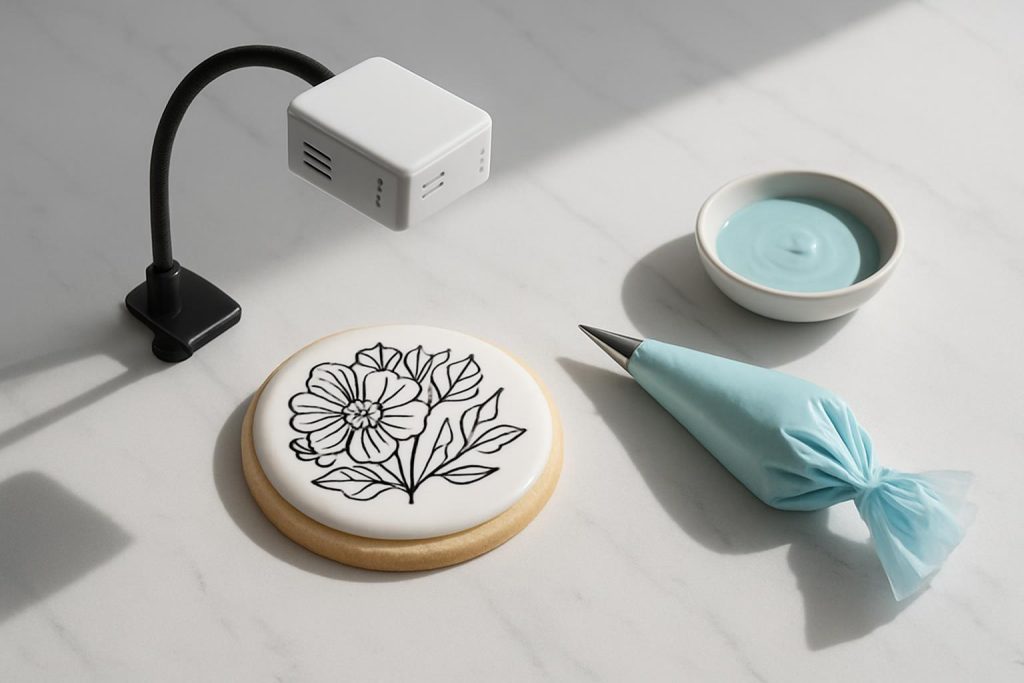
I place the projector on a clamp arm 12 to 16 inches above a two to four inch cookie, then test line clarity on a thin script and geometric shapes. I switch between a dim mode and moderate room light to gauge brightness. I check if keystone keeps edges square, whether autofocus locks quickly, and how stable the image stays if the table bumps. I prefer models that can run cord-free for at least one session and connect cleanly to a phone or laptop without fiddling. I think a good cookie projector should let me go from design to clean outline in under one minute.
Best Projectors for Cookie Decorating
AAXA P7 Mini Projector — Best overall for precise lines
The AAXA P7 balances native 1080p clarity with a compact body and onboard battery. Lines stay crisp on small cookies, and the extra resolution helps when you zoom in on tiny monograms or lacework. I think this model delivers the best mix of sharpness, size, and control for decorators who want reliable results every session.
Why it helps: Native 1080p resolution gives clean edges and smooth curves. LED brightness is strong enough for a dim to moderate room, and the image stays tight at short throw distances. Manual controls are simple and predictable.
Best for: Decorators who do detailed lettering, logos, and thin outlines on two to four inch cookies and want professional clarity without a bulky setup.
Key details:
- Native 1080p for high detail and small text
- LED light engine with long life and stable color
- Battery for cordless sessions, plus HDMI and media inputs
- Compact enough for clamp or tripod mounting
Potential downsides: Fan noise is noticeable in quiet rooms. The focus ring is sensitive, so set your arm height first, then fine-tune focus last. Battery life is session friendly but not full-day.
My setup tip: Mount the P7 slightly off to the side and aim straight down with mild keystone correction. This keeps the arm clear of your piping hand and preserves geometry.
Anker Nebula Capsule II — Fast autofocus and easy controls
The Nebula Capsule II focuses fast and stays user friendly with strong software and stable wireless features. Its 720p resolution is enough for clean cookie lines, and the autofocus helps when you jump between cookie sizes or change stand height. I think this is the easiest projector to live with if you value quick setup and less fiddling.
Why it helps: Autofocus and auto keystone save time, especially for batch sessions with mixed designs. Brightness is solid for low to moderate light, and USB-C charging support pairs well with modern power banks.
Best for: Beginners or busy bakers who want fast, repeatable setup and reliable clarity for tracing without manual adjustments.
Key details:
- 720p native resolution for smooth lines and readable text
- Autofocus locks quickly at short distance
- Auto keystone trims distortion when angled slightly
- Compact body stands upright, easy to mount or place on a mini tripod
Potential downsides: Maximum brightness is lower than larger models, so very bright kitchens may need lights dimmed. The round body needs a secure clamp or a flat mini tripod plate to prevent spin.
My setup tip: Use a small ball head or magic arm with a safety lip on the clamp plate. This stops rotation and keeps the image centered while you pipe.
AAXA P6X — Brightest battery pick for lights-on kitchens
The AAXA P6X brings serious brightness in a portable form with a large battery. If you prefer to keep task lights on, this model holds contrast well on glossy icing. For pop-up markets or classes where you cannot control room lights, the P6X gives you a buffer of lumens that keeps lines visible. I think it is the best choice when ambient light is non-negotiable.
Why it helps: High LED brightness with a big battery runs a full session without cables. WXGA resolution is sufficient for cookie designs while the extra light power preserves line visibility under brighter conditions.
Best for: Classes, vendor events, and decorators who work under brighter light or daylight and need extra punch to see edges clearly.
Key details:
- Strong LED output that stands up to ambient light
- Long battery life suitable for multi-hour sessions
- HDMI input for stable, lag-free tracing from a laptop
- Still compact enough for a sturdy overhead arm
Potential downsides: Heavier than tiny pico units, so use a stronger arm or a stand with counterweight. Fan noise is higher under full brightness.
My setup tip: Use a desktop C-stand or boom arm with sandbag or clamp to a thick counter. Dim a single task light aimed away from the cookie to improve contrast without darkening the room.
Kodak Luma 150 — Ultra portable budget pick for small cookies
The Kodak Luma 150 is tiny, simple, and light enough for any clamp arm. Its brightness and resolution are modest, but in a dim room it projects clean outlines for two to three inch cookies. I think this is a solid starter choice if you want a pocket unit for occasional cookie work without a large spend.
Why it helps: The slim body mounts easily, and the short throw works fine at typical cookie distances. It is quick to power on and simple to focus with one hand.
Best for: Beginners, hobby bakers, and travel setups where ultralight gear and a low price are priorities.
Key details:
- Very compact and lightweight for easy overhead mounting
- Battery powered for clutter-free tracing
- Works best in a dim environment for clean contrast
Potential downsides: Lower brightness demands dim lights, and resolution is limited for very fine micro text. No fast autofocus, so budget a moment to dial focus when you change cookie size.
My setup tip: Turn off overhead lights and use a low side lamp behind you. Shrink the image as small as needed to keep lines tight and reduce visible pixels.
Quick Pick Guide
- Best precision: AAXA P7
- Easiest setup: Nebula Capsule II
- Brightest battery pick: AAXA P6X
- Ultra portable budget: Kodak Luma 150
Setup Steps for Clean Cookie Projections
1. Mount and square the image
Clamp a gooseneck or boom arm to the table. Place the projector 12 to 16 inches above the cookie. Aim straight down. Use keystone to square the frame only if needed. A square image gives true circles and straight text.
2. Control light
Turn off overhead lights if your projector is under 150 ANSI lumens. Keep a low side lamp behind you or to the side to avoid washing out the icing. Brighter models can handle more light, but dimming always boosts line contrast.
3. Adjust size and focus
Set the image to match the cookie template size using the device zoom or projector distance. Dial focus until thin strokes look razor sharp. Recheck focus after changing cookie thickness or stand height.
4. Stabilize your workspace
Place a non-slip mat under the cookie. If the arm wobbles, shorten it or switch to a sturdier stand. A steady image cuts tracing time and improves edge quality.
5. Use clean reference files
High contrast black designs on a white background project best. Use vector or high resolution PNG files so lines stay crisp when you resize.
6. Trace smart
Outline first with medium consistency royal icing for control. Pause projection during long fills to reduce glare. Wipe any icing from the cookie edge before it dries to keep lines readable for the next step.
Troubleshooting Common Issues
Lines look jagged
Move the projector slightly closer and refocus. Reduce image size until edges smooth out. Check that your source file is high resolution.
Image is washed out
Dim surrounding lights and angle any task lamp away from the cookie. Increase projector brightness or switch to a higher contrast design file.
Image is skewed or not square
Straighten the projector so it points directly down. Apply minimal keystone correction to square it up. Avoid extreme angles because they stretch shapes.
Design lags or stutters
Use a wired HDMI connection from your phone or laptop. Close background apps to reduce lag. Wireless casting can add delay that makes tracing harder.
Maintenance and Workflow Tips
- Keep the lens clean with a microfiber cloth to maintain sharp focus.
- Mark your ideal arm height with tape so you can reset quickly each session.
- Create a template folder with pre-sized files for your common cookie shapes.
- Use a small Bluetooth remote or keyboard to swap designs without touching the projector.
- Store the projector in a padded pouch to prevent focus ring shifts during transport.
Conclusion
Cookie decorating becomes more precise and less stressful with a well-matched projector. If you want top-tier clarity and tight lines, the AAXA P7 is the safest bet. For one-step setup with minimal adjustments, the Nebula Capsule II is simple and fast. If you keep lights on or teach in mixed spaces, the AAXA P6X brings the brightness you need. For an ultralight budget start, the Kodak Luma 150 handles small cookies in a dim room. Pick based on your light levels, detail needs, and mounting setup. Dial in the height, square the frame, and focus tight. Your outlines will look clean, your workflow will speed up, and your results will be consistent batch after batch.
FAQ
Q: What brightness do I need for cookie decorating
A: At least 100 ANSI lumens for low ambient light and more if you want some lights on. Brighter models keep lines visible on glossy icing.
Q: Is autofocus important for cookie projectors
A: Autofocus saves time when you change cookie sizes or stand height. Manual focus works, but autofocus keeps you in the flow.
Q: What resolution gives the cleanest lines
A: HD or better shows fine detail on small cookies. Native 1080p like the AAXA P7 delivers very clean edges for thin outlines and lettering.
Q: How should I mount the projector above the cookie
A: Use a clamp arm or boom 12 to 16 inches above the cookie, aim straight down, and apply minimal keystone to keep shapes accurate.
Q: Wired or wireless for tracing designs
A: Wired HDMI is most stable with less lag. Wireless casting is convenient but can add delay that makes precise tracing harder.